
Download Stelo by Dexcom – Glucose Tracking App, Diabetes Management Tool, Health Monitoring Software
Overview
Stelo by Dexcom is a mobile application designed for adults aged 18 and older who are managing their glucose levels without insulin therapy. The app functions as a digital health companion, enabling users to monitor glucose trends through a compatible Stelo Glucose Biosensor. It eliminates the need for traditional fingerstick testing, offering a non-invasive method for continuous glucose tracking.
The primary purpose of the app is to empower users with real-time insights into how food, activity, and lifestyle choices impact their glucose levels. By visualizing patterns over time, individuals can make informed decisions about diet and exercise to support long-term metabolic health. The app is intended for personal use and is not a substitute for medical advice or treatment.
Users are encouraged to consult healthcare providers before making any adjustments to their health regimen based on app data. The software is available for free on the Google Play Store and is designed for Android devices. The developer did not provide additional system requirements or information about the app’s development background.
Real-world usage scenarios include daily glucose tracking during meals, exercise routines, or sleep cycles to identify trends and optimize wellness strategies.
Key Features & Capabilities
- Continuous Glucose Monitoring: The app integrates with the Stelo Glucose Biosensor to provide real-time glucose level readings without fingersticks.
- 24/7 Access to Insights: Users receive ongoing access to glucose trends, helping them understand how daily habits affect their levels.
- Personalized Health Feedback: The app generates insights based on individual glucose patterns, supporting behavior change and healthier decision-making.
- Non-Invasive Tracking: Eliminates the need for blood draws or prescription-based testing, simplifying routine monitoring.
- Diet and Activity Integration: Allows users to log meals and physical activity to correlate with glucose responses.
These features support a proactive approach to metabolic health. For example, a user might track their glucose response after consuming a high-carb meal and adjust future intake accordingly. Another scenario involves monitoring glucose levels during evening workouts to optimize timing and nutrition.
The app’s design emphasizes simplicity and usability, enabling seamless integration into daily routines. The developer did not specify additional functionality such as alerts, data export, or integration with third-party platforms. Performance and data accuracy depend on the biosensor’s functionality, which is sold separately.
The app does not include clinical diagnostic tools or emergency alerts.
User Interface, Workflow & Performance
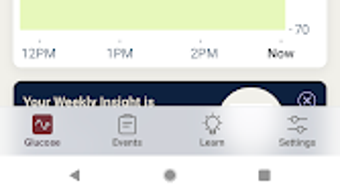
The user interface of Stelo by Dexcom is designed to be intuitive and accessible, with a clean layout focused on clarity and ease of navigation. Key metrics such as current glucose levels and trend arrows are prominently displayed, allowing users to quickly assess their status. Navigation is likely structured around a dashboard, history timeline, and settings, though specific UI details were not provided.
The workflow supports logging meals, reviewing trends, and accessing insights with minimal steps. The app’s performance is expected to be stable under normal usage conditions, as it relies on a dedicated biosensor for data input. However, exact performance metrics such as CPU usage, RAM consumption, or battery impact were not specified.
The developer did not provide information about background processing, update frequency, or stability under prolonged use. General software behavior patterns suggest that the app operates efficiently on compatible Android devices, but actual performance may vary based on device hardware and sensor connectivity. The app is designed for continuous background operation to maintain real-time tracking, but resource usage details remain undisclosed.
Compatibility & System Requirements
Stelo by Dexcom is available exclusively for Android devices and is designed for users aged 18 and older. The app is compatible with Android operating systems, though the specific version range was not listed. Installation size and hardware requirements were not disclosed by the developer.
The Stelo Glucose Biosensor must be purchased separately and paired with the app for functionality. Compatibility with specific phone models or Bluetooth versions was not specified. Users are advised to check the official Stelo website for up-to-date device compatibility information.
The app does not support iOS or desktop platforms. The developer did not provide details about required permissions, storage usage, or network requirements. Performance and connectivity depend on the sensor’s integration with the mobile device, which may vary based on hardware and software configurations.
Pros and Cons
Pros
- Free to download and use on Android devices
- Non-invasive glucose monitoring without fingersticks
- Real-time insights into glucose trends and patterns
- Designed for ease of use and daily integration
- Supports informed lifestyle and dietary decisions
Cons
- Requires separate purchase of the Stelo Glucose Biosensor
- Available only on Android, not iOS or desktop platforms
- Does not provide medical diagnostic or emergency alerts
- Exact system requirements and performance data were not disclosed
- Not suitable for users under 18 or those requiring insulin therapy
FAQ Section
Is Stelo by Dexcom available for iOS devices?
As of now, the app is only available for Android devices. There is no official iOS version, and the developer did not specify future platform expansion.
Do I need a prescription to use Stelo by Dexcom?
No prescription is required to use the app. However, the Stelo Glucose Biosensor is a medical device, and users should consult a healthcare provider before making any health-related decisions based on the data collected.
Can I use Stelo by Dexcom without the biosensor?
No. The app requires the Stelo Glucose Biosensor to function. The biosensor must be paired with the app to provide glucose readings. The sensor is sold separately.
Is the app secure and private?
The app is designed to protect user data, but specific security protocols or data encryption details were not provided. Users are advised to review the privacy policy on the official Stelo website.
How often does the app update?
Update frequency is managed by the developer, but no specific schedule or version history was disclosed. Users are encouraged to keep the app updated via the Google Play Store for optimal performance.
Final Thoughts + CTA
Stelo by Dexcom presents a streamlined, user-friendly approach to glucose monitoring for adults who do not require insulin. By removing the need for fingersticks and offering continuous insights, the app supports proactive health management through daily lifestyle adjustments. Its focus on accessibility, simplicity, and real-time feedback makes it a valuable tool for individuals seeking to understand their metabolic health.
While the app is limited to Android and requires a separate biosensor, its free availability and emphasis on personal empowerment are significant advantages. It is not a medical device replacement but a supportive tool for informed decision-making. For adults aged 18 and older managing glucose levels through diet and activity, Stelo by Dexcom offers a modern, non-invasive solution.
Download Stelo by Dexcom now to take control of your glucose health with confidence.







